CADLANE

Sale!

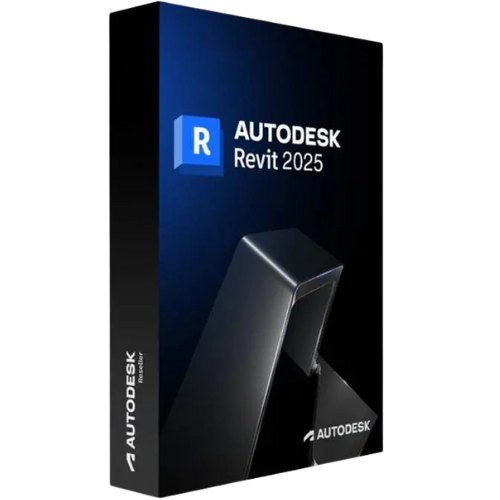
Autodesk Revit 2025

  • Available: Electronic Delivery
  • Brand: AutoDesk
  • OS: Windows

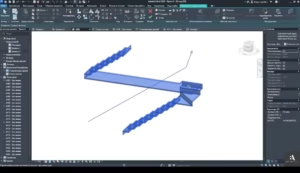
If you can imagine it, you can design it in Autodesk Revit 2025.

Autodesk Revit allows architects, engineers, and construction professionals to:

  • Model shapes, structures, and systems in 3D with parametric accuracy, precision, and ease.

  • Streamline project management with instant revisions to plans, elevations, schedules, sections, sheets, and 3D visualization.

  • Unite multidisciplinary project teams for higher efficiency, collaboration, and impact in the office or on the construction site.

Product price

Original price was: $899.00.Current price is: $599.00.

Quantity

Description

Why should I Buy Autodesk Revit 2025?

Autodesk® Revit® allows architectects, engineers, and construction professionals to:

Model shapes, structures, and systems in 3D with parametric accuracy, precision, and ease. Streamline project management with instant revisions to plans, elevations, schedules, sections, and sheets. Unite multidisciplinary project teams for higher efficiency, collaboration, and impact in the office or on the jobsite.

Key features

Parametric components: Place walls, doors, and windows in an open, graphical, and parameter-rich system for design and form-making.

Interoperability Revit imports, exports, and links with commonly used BIM and CAD file formats, including IFC, 3DM, SKP, OBJ, and more.

Developer tools and solutions Extend Autodesk Revit 2025 functionality with Dynamo, API access, developer solutions, and BIM content on the Autodesk App Store.

Twinmotion for Revit: Launch Twinmotion directly from Revit. Sync design data and immerse yourself in the intuitive creator environment to bring your design to life as photorealistic stills, scenes, and animations.

Worksharing: Save, sync, review, and update work to a centrally shared model in the Revit project collaboration environment.

Annotation: Communicate design intent effectively with tools for tagging, dimensioning, and illustrating in 2D and 3D.

Generative Design in Revit Evaluate and compare design alternatives at scale with Generative Design in Revit. Available exclusively to AEC Collection subscribers.

Standard and custom family content Load content from the Autodesk cloud into a Revit project or create your own libraries of building components.

Schedules: Use tables to better capture, filter, sort, display, and share project data.

Global parameters: Embed design intent with project-wide parameters that work with radial and diameter dimensions and equality constraints.

Visibility settings and overrides Control visibility by hiding, revealing, and highlighting building elements. Use overrides to customize appearance.

Personalization and customization Customize the user interface to fit with configurable keyboard shortcuts, ribbons, and toolbars.

What you can do with Autodesk Revit 2025

Building Designs

Revit Architecture software is used to build 3D designs for architectural purposes. It is used by architects to create real designs for buildings, create 3D visuals of the designs, and create construction drawings with proper documentation.

Structural engineering

This versatile software is also used in structural engineering to produce detailed models of elements such as walls, columns, and beams. It is a highly efficient tool that helps engineers analyze their final designs and make sure the designs are safe to execute practically.

MEP Engineering

Autodesk Revit 2025 is largely used in mechanical, electrical, and plumbing (MEP) engineering. The software incorporates powerful tools for designing complex MEP systems such as HVAC, electrical, and plumbing. It can also accurately analyze whether the systems have been integrated into the building design correctly.

Construction Management

Autodesk Revit 2025 is extremely useful in visualizing and planning the construction process. Moreover, construction managers can utilize this tool to communicate with stakeholders regarding project information. Revit Autodesk is used to organize and coordinate all sorts of construction activities.

Facility management

Facility managers can use Revit Autodesk to meet management needs, such as proper building maintenance and an overview of building operations.

Benefits of Autodesk Revit 2025:

With features and tools for sketching, sharing, annotating, scheduling, and visualising, Autodesk Revit Software helps architects, engineers and contractors collaborate more effectively.

Improved accuracy

With Revit Autodesk, structural engineers can easily create precise designs and make any alterations in the designs.

Seamless collaboration

With this software, engineers can collaborate with each other effortlessly and share designs in real time. Team members can give their input and make any necessary changes. This process helps in reducing the chances of errors.

Project management

Structural engineers use this tool to manage their projects. The software’s project management features include tracking the progress, scheduling tasks, and managing resources.

Correct cost estimation

This tool allows MEP engineers to accurately estimate the total cost of the building.

BIM Modeling

Parametric Building Elements
3D Model Coordination
Family-Based Components
Multi-Discipline Modeling
Real-Time Model Updates
Intelligent Object Behavior

Architecture Tools

Wall & Roof Systems
Curtain Wall Modeling
Room & Area Tools
Stairs & Railings
Door/Window Libraries
Space Planning Tools

Structure Tools

Structural Frame Modeling
Rebar & Reinforcement
Truss & Joist Tools
Load-Bearing Elements
Analytical Model Sync
Steel Connection Tools

MEP Systems

HVAC System Design
Electrical Circuit Layout
Plumbing & Piping Tools
Duct & Conduit Modeling
Fabrication Part Support
System Flow Analysis

Documentation & Detailing

Auto-Generated Sheets
Tag & Annotation Tools
Dimensioning Standards
Callouts & Sections
Detail Component Library
Revision Management

Analysis & Simulation

Energy Model Creation
Lighting Analysis Tools
Structural Load Checks
System Flow Simulation
Interference Detection
Performance Insights

Collaboration & Cloud

Worksharing Model Sync
BIM Collaborate Pro
Cloud-Based Collaboration
Shared Coordinates Setup
Multi-User Access Control
Version History Tracking

Visualization

Realistic View Styles
Material Editor Tools
Graphic Overrides
Walkthrough Creation
Sun & Shadow Studies
Render-Ready Export

Interoperability

DWG/DXF Support
Navisworks Link Tools
Rhino/SketchUp Import
IFC Import/Export
Revit-Structural Sync
Multi-CAD Compatibility

Admin & Management

Template Management
Standards Enforcement
Family Library Control
Workset Administration
Deployment Configuration
Model Health Reporting

More…

Reviews

There are no reviews yet.

Be the first to review “Autodesk Revit 2025”

Your email address will not be published. Required fields are marked *

DELIVERY

Instantly as electronic download

GUARANTEE

100% Money Back Guaranteed

24/7 SUPPORT

Call Toll free +1 (888) 877-3488

DELIVERY

Instantly as electronic download

GUARANTEE

100% Money Back Guaranteed

24/7 SUPPORT

Call Toll free +1 (888) 877-3488

Related Products